In-house project, field operations
Every van leaves loaded, and the office knows by 8 AM.
A phone checklist and a live office board that replaced a 3-page paper form at the concrete floor coating company where Max runs operations.
- of paper per van, per day, replaced
- 3pages
- became items the crew actually counts
- 38tick boxes
- to scope, build and launch it
- 6days
- pilot problems solved, per crew feedback
- 4/4
The old way
Each crew lead filled in a printed checklist twice a day: loading in the morning, returning at night.
- printed pages per van, per day
- 3
- tick boxes for tools and materials, with no counts
- 38
- signatures per van, per day
- 6
Nothing reached the office until the paper came back.
Four problems, and what fixed each one
Ranked by what they cost the business. All four were confirmed solved when crews tested the system.
Vans left the shop short
Before
A van would reach the job missing a tool or material. That meant a drive back or a delayed job.
Solved in the pilot
What the system does
Each morning the lead counts every load item against what the van should carry. Anything short is flagged before the van leaves.
At night, return counts start from the morning load, so a missing tool asks: lost, left at the site, or damaged?
Crews ticked the list without checking
Before
A whole page of boxes could be ticked in seconds, whether anyone looked in the van or not.
Solved in the pilot
What the system does
Every item needs its own tick. Next stays locked until the section is done, and tapping it early jumps to the first gap.
The server checks the same rule, so there is no way around it.
The office couldn't see the day
Before
The office learned which vans were checked, and what was missing, only when the paper came back.
Solved in the pilot
What the system does
A live board shows every van, who has it, and where each checklist stands. It updates on its own.
Leads get a private reminder on their phone if they haven’t sent yet. A missed deadline alerts the office.
Damage reports and requests got lost
Before
Broken tools and equipment requests were written on paper. They got lost, reported late, or disputed.
Solved in the pilot
What the system does
A damaged or missing item opens an issue by itself. Damage needs a photo, and the office closes each issue with a note.
Requests move from open to ordered to fulfilled. Each van keeps a photo history for damage disputes.
Also asked for: paperwork that files itself
Before
Signed pages had to be collected, checked and filed by hand.
Company request
What the system does
Each checklist becomes a PDF laid out like the old form, emailed from the company account and filed in Google Drive by van and month.
If a step fails, it retries on its own and shows on the board.
On the crew’s phone
Real screens from the app, with sample data.
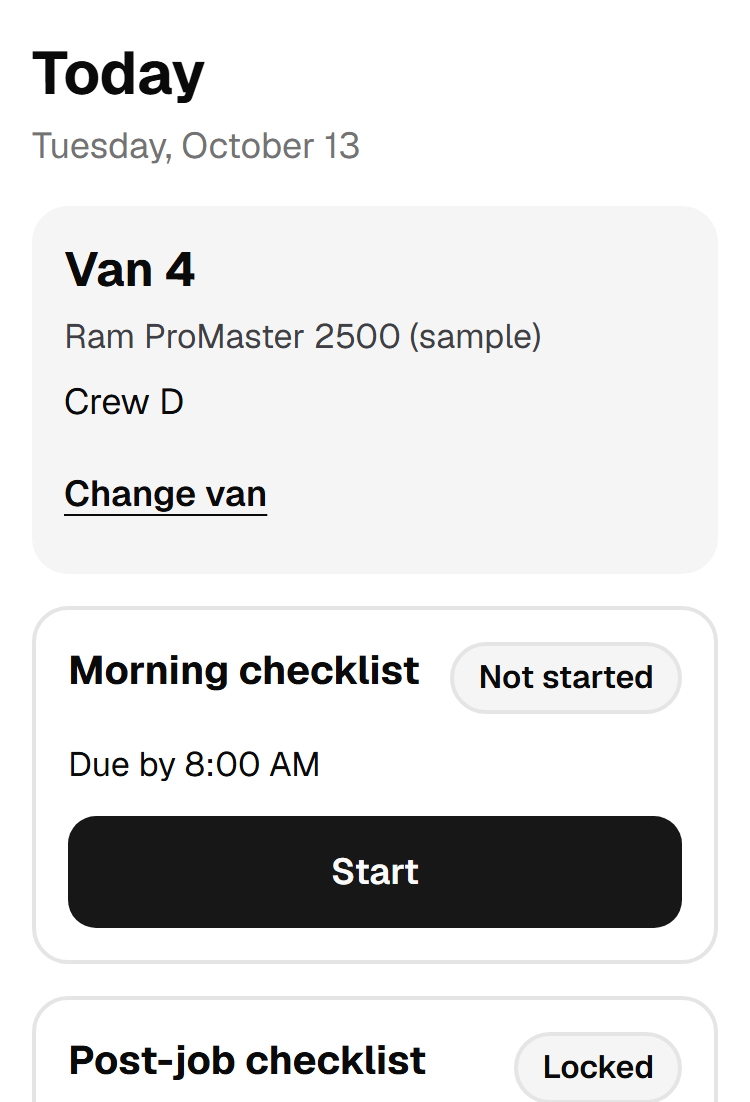
Pick the van 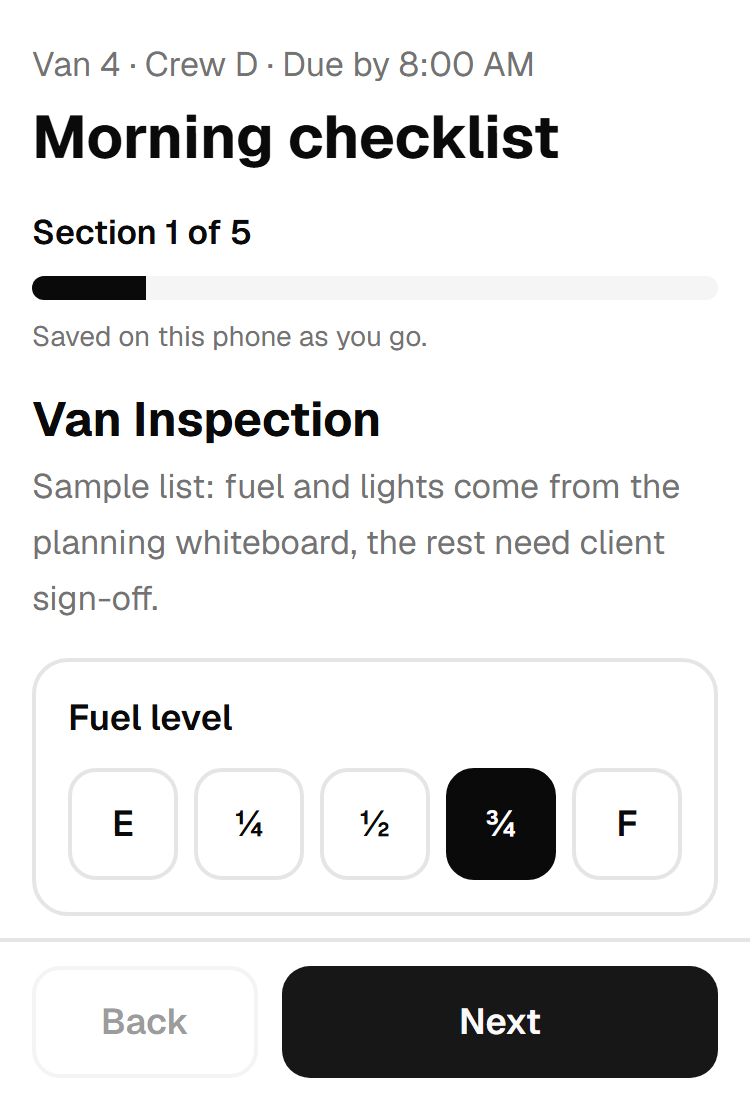
One section at a time 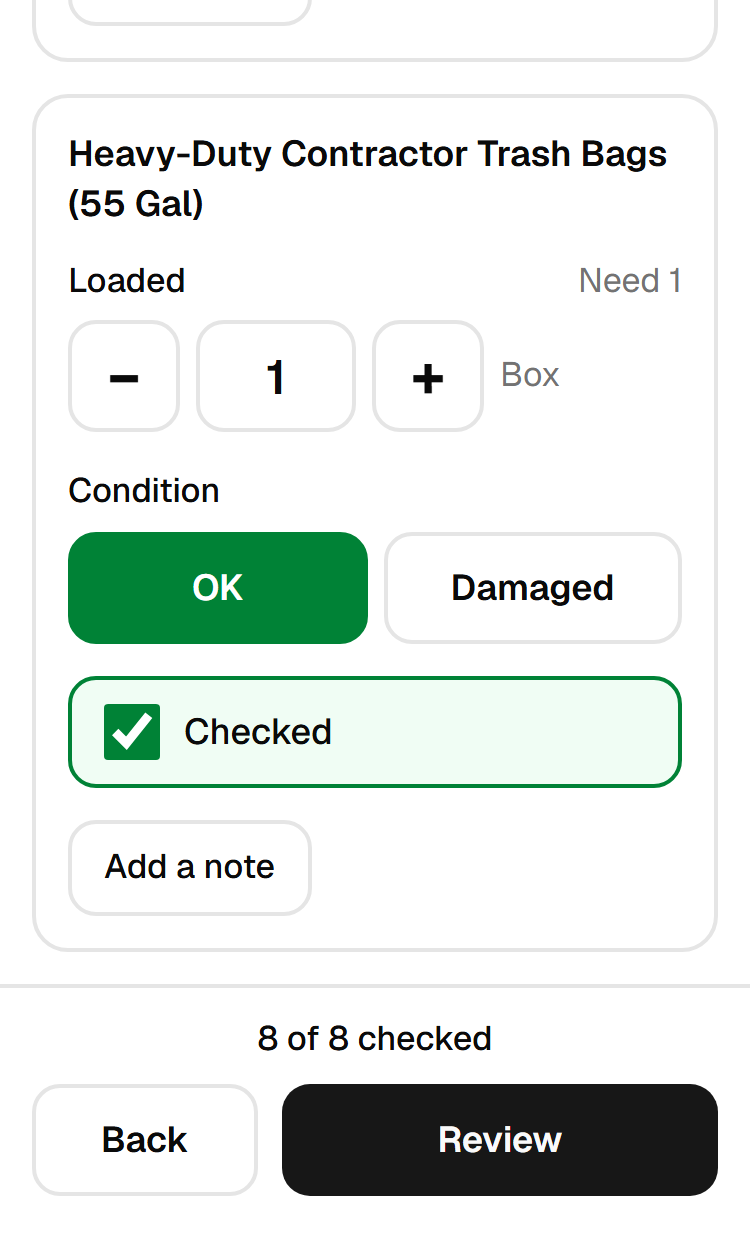
Count every item 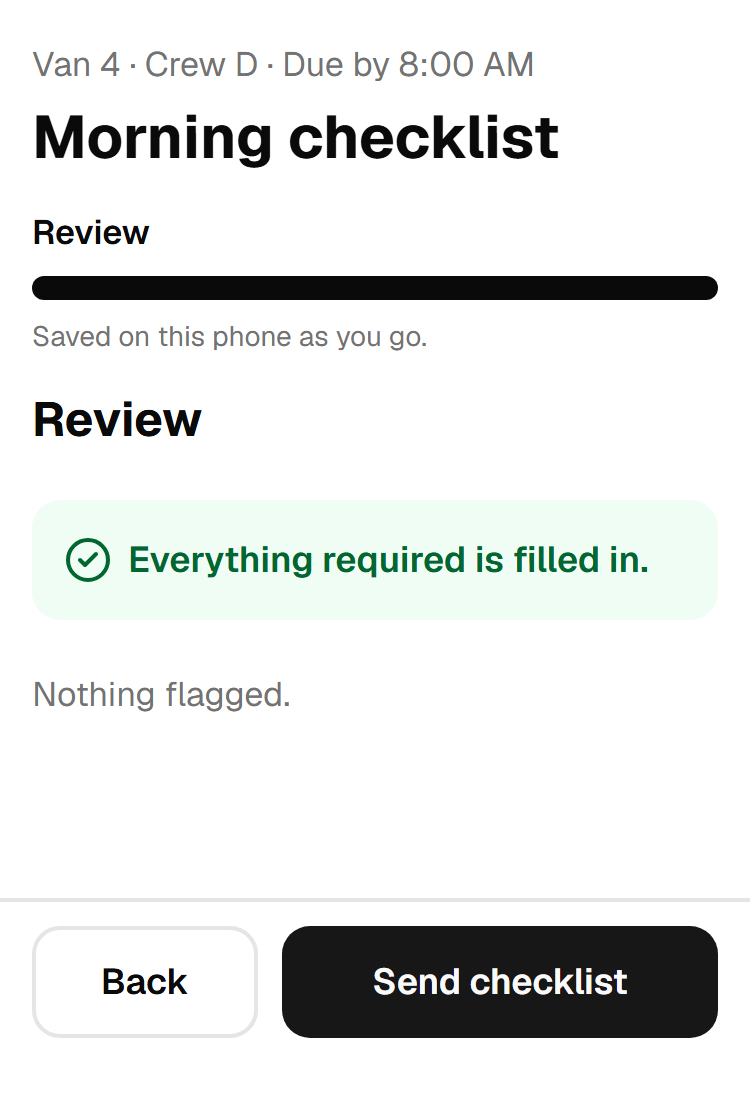
Review, then send 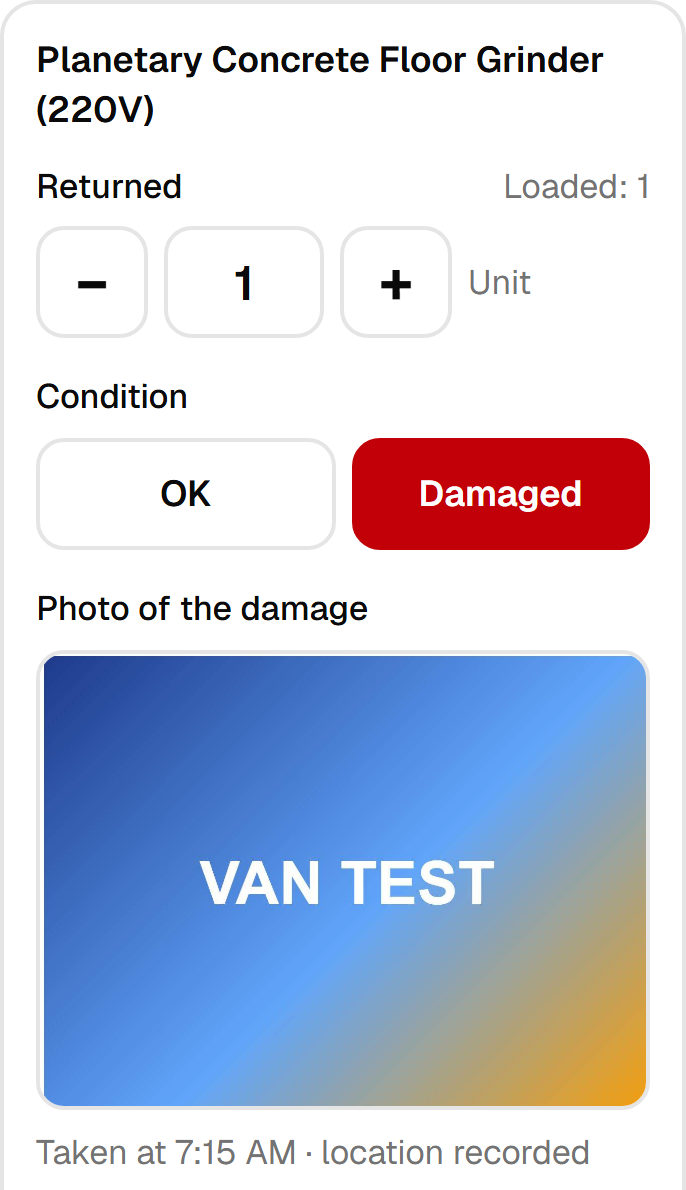
Damage needs a photo
How a workday runs now
These are the default times. The office can change them in settings.
- 7:30 AM
Morning reminder
A private reminder on each lead’s phone who still has to send, with email as a backup.
- Before 8
Morning checklist
The lead picks a van, inspects it, counts the load and ticks every item.
- 8:00 AM
Deadline
Anyone who missed it is flagged to the office.
- After the job
Post-job checklist
Return counts, damaged items with photos, and equipment requests.
- 6:00 PM
Evening reminder
Same as the morning, for the post-job checklist.
- 7:00 PM
Deadline
Missed checklists are flagged to the office.
- Every send
Paperwork and board
The PDF is emailed and filed, and the live board refreshes.
Tested with a few crews, and it did the job.
- The app works on the crews’ phones, start to finish.
- The morning load and the end-of-day return run more smoothly.
- All four problems above are solved.
Source: crew feedback from the pilot, October 2026.
Built for vans, not desks
Small details that decide whether a crew actually uses it.
Patchy signal is fine
Answers and photos save on the phone. The checklist sends itself when signal returns.
Gloved hands
Big buttons, one section per screen, and a counter showing what is left.
Nothing sends twice
Each reminder, alert and email is reserved before it goes out, even if a run repeats.
The office edits the checklist
No developer needed. Changes publish as a new version, and a crew mid-checklist finishes on theirs.
Checked before crews ever saw it
- automated tests at launch161 unit, 92 database and 36 browser tests on phone and desktop.
- 289
- Lighthouse performanceCrew checklist page on simulated slow 4G. Accessibility and best practices scored 100.
- 92–93
- screens checked for accessibilityAutomated WCAG 2.1 checks found no serious or critical issues.
- 9
- open high-severity findingsFrom a security review: database rules on every table, rate-limited sign-in, no secrets in the browser.
- 0
Measured on a production build before launch, not on the live site.
What I did
As operations manager, I knew the problems from the inside, so I fixed them myself.
I scoped, built and launched the system in six days, working with Claude Code. I set up the company’s Google sign-in, Gmail sending, Drive filing and alerts, then tested it with our own crews.
Mid-build, the plan changed three times in one day. Each change shipped:
- Text messages were dropped in favor of Google sign-in. That removed texting fees and phone-number registration.
- Office van assignments were dropped. Leads now pick their own van each morning.
- The locked, tick-every-item checklist was added.
Built with
- Next.js
- Supabase
- PostgreSQL
- Vercel
- Gmail API
- Google Drive API
- Web Push
- PDF generation
- Claude Code